
How to overwrite an Edge App's files
You will learn how to make a file overwritable and how to use the "Overwrite file" option found in the Edge App's configuration.
How to make a file overwritable
Before using Edge App Management to upload a new file in a Docker image, a file has to be capable of being overwritten. This action is performed in the compose.yaml file found in the Edge App Workspace. Let's take an InfluxDB image as a practical example.
Add the default file to the Edge App Workspace
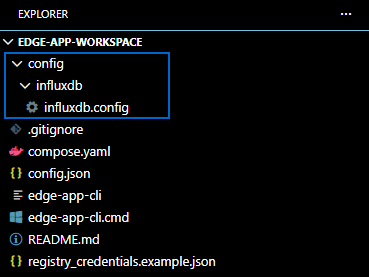
Before deploying an Edge App, the workspace needs a default file in its root folder. If the file is not there, the mount will not work.
Add the /config folder to the root project, create a new influxdb folder for the InfluxDB service and add the influxdb.config file to it:
Make the file overwritable
Add the following lines to the compose.yaml file. This will instruct the IXON platform to make the file overwritable:
    volumes:
      - ./config/influxdb/influxdb.conf:/etc/influxdb/influxdb.conf
Syntax explanation
It is important to take a moment and take a look at the structure and syntax of these lines:
volumestells Docker Compose that you want to map a storage space or file between your machine (the SecureEdge Pro) and the container.-indicates a list item, as you can add multiple files or folders../config/influxdb/influxdb.conf: The path on your local machine (the SecureEdge Pro). The./allows to look in the current directory (where thecompose.yamlfile lives, the Edge App Workspace) and it points to a default InfluxDB configuration file that you have created and placed there.:indicates the separator that connects the two environments./etc/influxdb/influxdb.conf: The path inside the container. It tells the InfluxDB service running inside Docker to use this file as official configuration.
Final result
The complete compose.yamlfile will look like this:
services:
  influxdb:
    image: influxdb:2.7.5-alpine
    volumes:
      - ./config/influxdb/influxdb.conf:/etc/influxdb/influxdb.conf
Making multiple files overwritable
It is possible to make multiple files overwritable by following standard YAML syntax:
services:
  influxdb:
    image: influxdb:2.7.5-alpine
    volumes:
    - ./config/influxdb/influxdb.conf:/etc/influxdb/influxdb.conf
    - ./config/influxdb/extra.conf:/etc/influxdb/extra.conf
    - ./data/influxdb:/var/lib/influxdb2
How to overwrite a file on the IXON Portal with Edge App Management
After making a file overwritable, you can access the Fleet Manager's Edge App configuration options to easily overwrite an app's files by uploading a new file.
To do so, follow these steps:
-
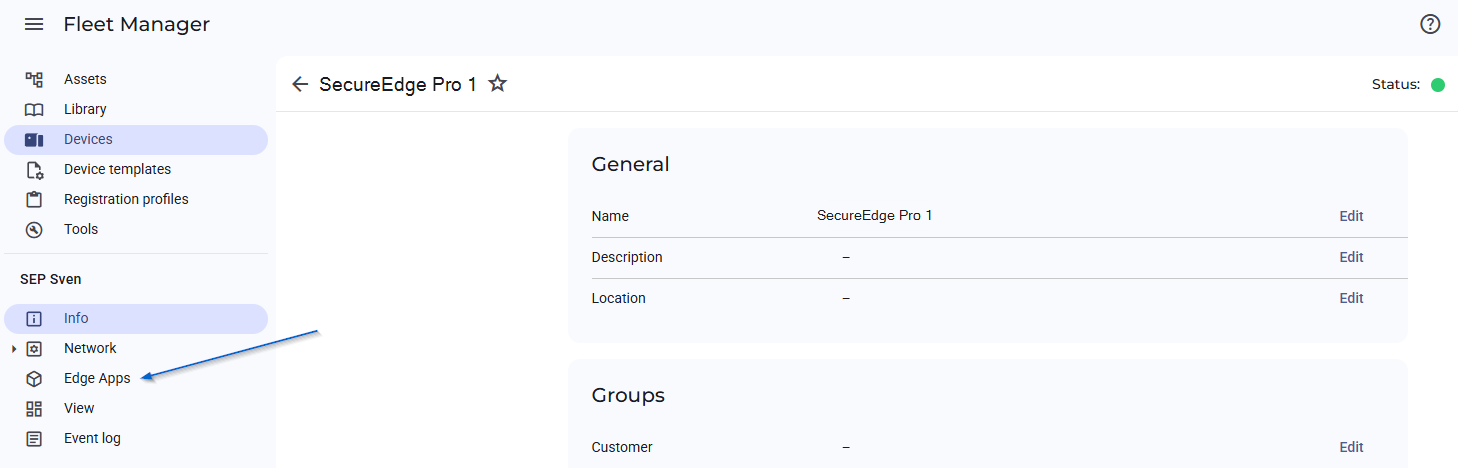
Navigate to the Fleet Manager and select the SecureEdge Pro containing the Edge App that you want to overwrite files for.
-
Navigate to Edge Apps:
-
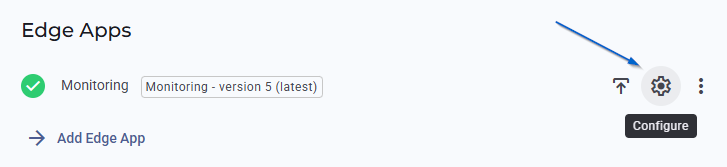
Click on the "Configure" button:
-
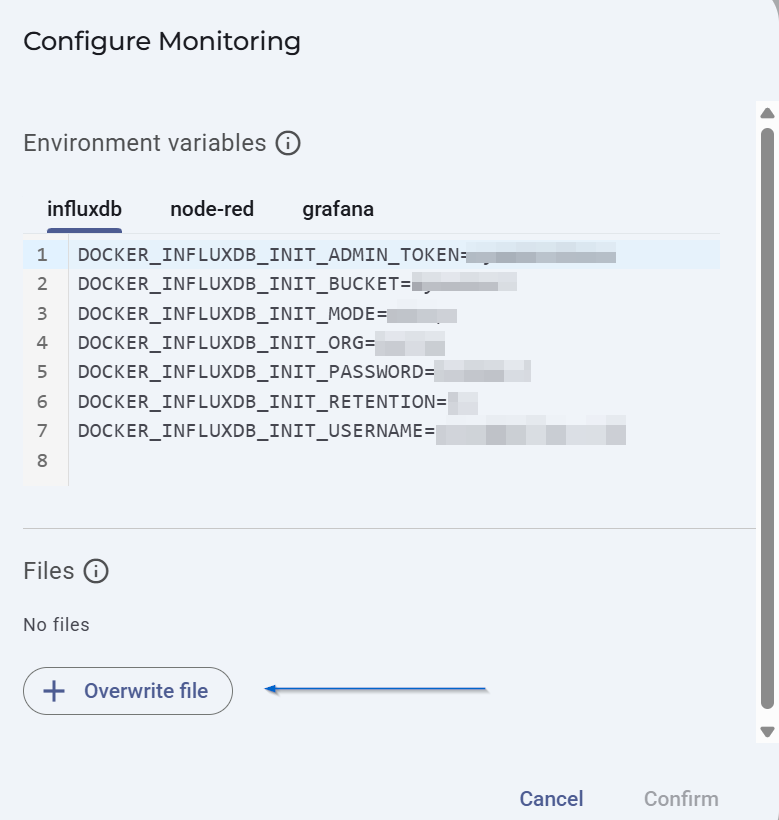
Click on Overwrite file:
-
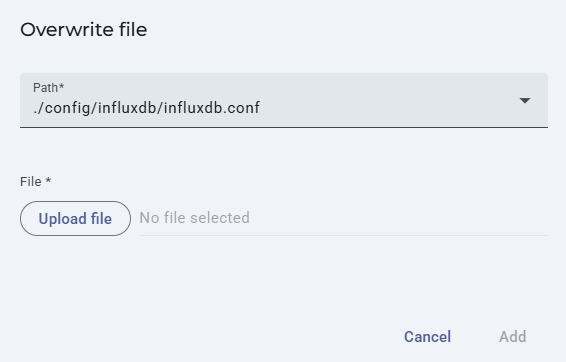
Select the path to the file that you want to replace and select a new file by clicking on "Upload file:
Updated 4 months ago