
Docker errors
Errors involving the Docker container that backs the local Document Store.
Errors involving the Docker container that backs the local Document Store. Docker is a prerequisite for running Cloud Functions locally — if the Docker daemon can't be reached or your user account doesn't have permission, make run will fail to start.
Exception with setting up ((project)) after make run
Exception with setting up ((project)) after make runAfter running the command make run, you get the following error message:
ERROR - Exception with setting up ((project)). Please make sure you have docker installed
on your machine and port 27017 is unused or configure a different port...
You need to be able to use the Docker CLI as a normal user (without sudo). Add your user to the docker group:
sudo usermod -aG docker $USERLog out and log back in (or restart your shell) for the group change to take effect, then run make run again.
docker.errors.DockerException: Error while fetching server API version
docker.errors.DockerException: Error while fetching server API versionAfter running the command make run, you get the following error message:
docker.errors.DockerException: Error while fetching server API version:
('Connection aborted.', FileNotFoundError(2, 'No such file or directory'))
make: *** [run] Error 1
Docker fails to import the ixoncdkingress Python module. This is due to a missing symlink pointing to the Docker socket. The missing symlink can be caused by missing privileges on the host machine when installing Docker.
The solution is to manually create the missing symlink pointing to /var/run/docker.sock. See the Docker article Understand permission requirements for Docker Desktop on Mac for the exact steps.
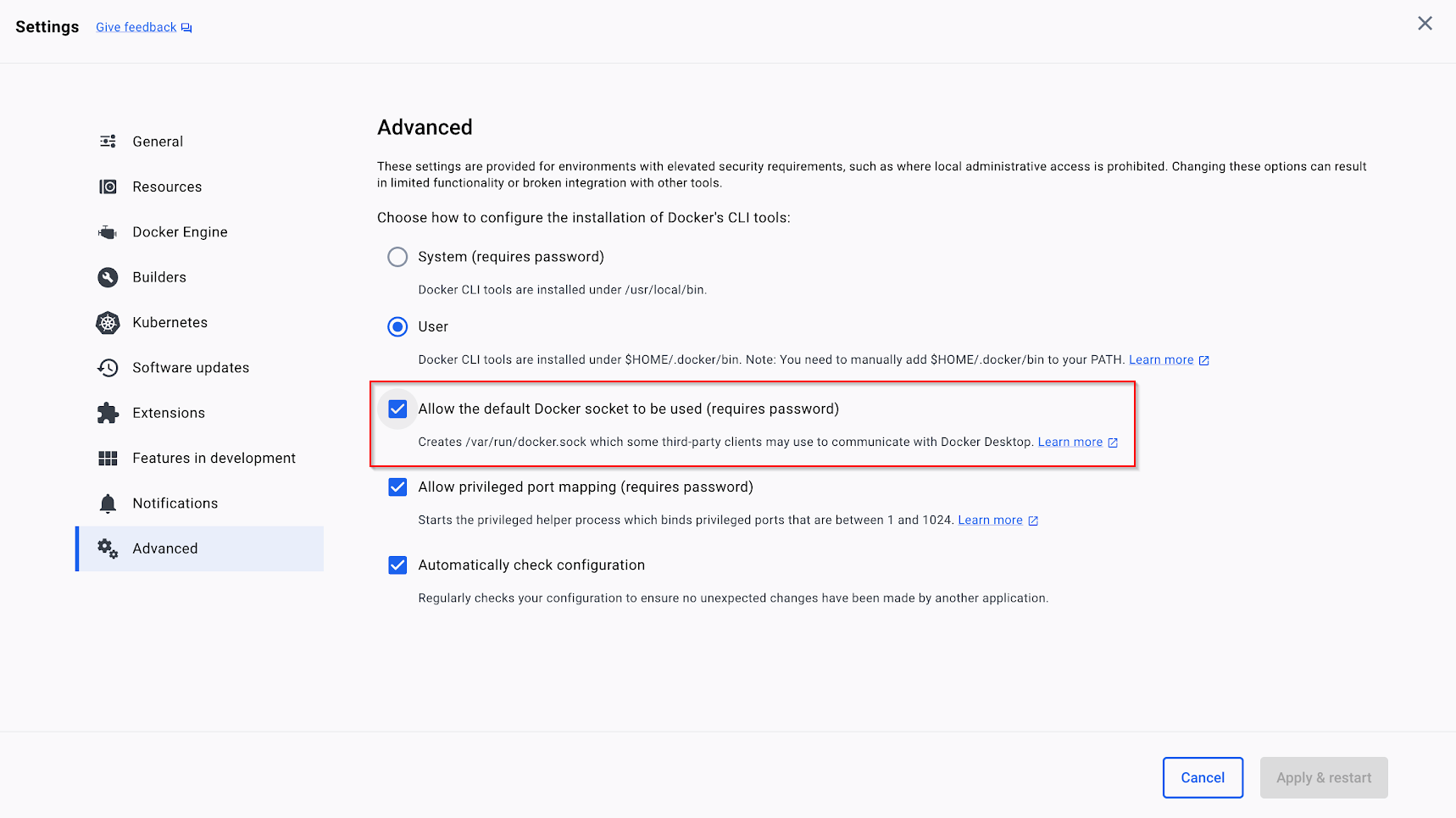
Docker error when building a Cloud Function with Docker Desktop on macOS
After running the command make run, you get the following error message:
ERROR - Exception with setting up DocumentDB. Please make sure you have docker
installed on your machine and port 27017 is unused or configure a different port
by setting DOCUMENT_DB_PORT to an available port
In Docker Desktop, open Settings > Advanced and enable Allow the default Docker socket to be used.
Updated 5 months ago